


About the School of Divinity
Receive the academically excellent, biblically focused education and practical tools you need to fulfill your ministry calling at one of the most respected seminaries on the East Coast — Regent University. Earn your degree on campus or completely online. Learn more about online degree programs at Regent.
Regent University’s School of Divinity supports those called to the frontlines of 21st century ministry — both within the local church and beyond its borders — through chaplaincy, academia, missions, nonprofit or corporate work. You can enjoy challenging, biblically focused seminary programs that fulfill the credentials you need to advance in your field and effectively bring Christ to the world. You can also enjoy the convenience of course structures best suited to your life, with classes available on campus and online with no residencies for master’s-level students and minimal residences for doctoral-level students.
Regent’s School of Divinity is accredited by the Association of Theological Schools (ATS) and features a team of renowned faculty ready to mentor you as you bridge the gap between theological knowledge and practical ministry. Just as a broad cross-section of people have been used throughout the history of the Church to fulfill the Great Commission, Regent’s faculty, students and alumni represent a range of denominations, ethnicities and backgrounds, united by the renewing work of the Holy Spirit. Regent’s emphasis on rigorous academics, biblical integrity and the spiritual formation of our students ensures our graduates are Christian leaders fully equipped to put inspired ideas into practice.
Come be changed; then go out and change the world. Our programs, faculty and students place us among the leaders of Virginia seminaries and theological colleges. Contact us for the information you need to get started today.

Deans

Dr. Corné Bekker (Bio)
Dean; Professor; Director of Th.M. & Ph.D. Programs
clbekker@regent.edu
757.352.4285

Dr. James Flynn (Bio)
Associate Dean; Associate Professor; Director of D.Min. Program
jamefly@regent.edu
757.352.4527
Directors

Dr. Larry Asplund (Bio)
Assistant Professor; Director of Internships
lasplund@regent.edu
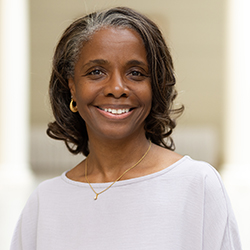
Dr. Matisha Dentu (Bio)
Assistant Professor; Chair – Practical Theology
mdentu@regent.edu
757.352.4437
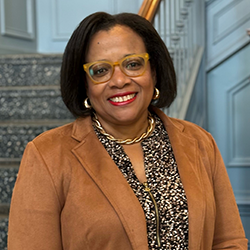
Dr. Andrea Francis (Bio)
Assistant Professor; Director of Church Relations & Alumni
andrfr2@regent.edu
757.352.4477
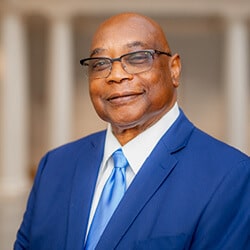
Dr. Leroy Gilbert (Bio)
Assistant Professor; Director of Faculty Development
lerogil@regent.edu
757.352.4030
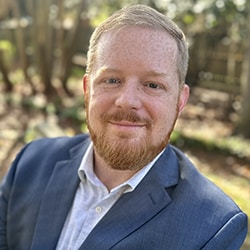
Dr. Jordan Jones (Bio)
Assistant Professor; Chair – Theology
jjones@regent.edu
757.352.4183

Dr. Mark Jumper (Bio)
Associate Professor; Director of Chaplaincy & Military Affairs
mjumper@regent.edu
757.352.4903
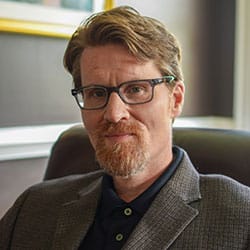
Dr. John-Paul Lotz (Bio)
Associate Professor; Chair – Historical Theology
jlotz@regent.edu
757.352.4417

Dr. Joshua Nangle
Assistant Professor; Director of the ATS Self-Study Dossier
joshnan@regent.edu
757.352.4716
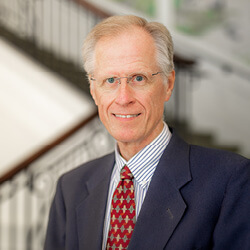
Dr. Kevin Spawn (Bio)
Associate Professor; Director of M.A. & MTS Programs
kspawn@regent.edu
757.352.4409

Dr. Joseph Umidi
Director of the Center for the Great Commission
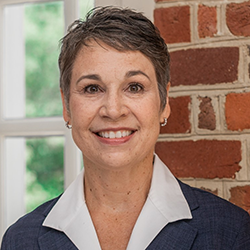
Dr. Carrie Wood (Bio)
Assistant Professor; Director of M.Div. Program
carrwoo@regent.edu
757.352.4653
Minister in Residence
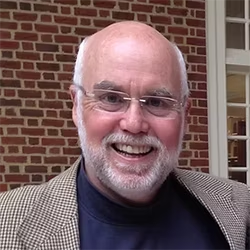
Dr. Marty O’Rourke
Minister in Residence
Staff

Jonathan Bekker
Director of Operations
jonabek@regent.edu
757.352.4503

Trevor Hodges
Director of Instruction
trevhod@regent.edu
757.352.4067
Christian Integration
We are a modern-day expression of the vibrant, biblically grounded seminary.
Regent University’s School of Divinity is a diverse group of 21st century scholars committed to the rigorous study and application of theology, biblical interpretation and the renewing work of the Holy Spirit. We learn and serve together in a culture of inquiry where no topic is off limits.
The School of Divinity is committed to the education, formation and training of men and women for all contexts of vocational ministry. We encourage all seminarians to develop and use their God-given gifts for the benefit of the kingdom of God in the family, seminary, church and society. Since we are committed to holistic formation and ministry preparation, we seek to foster an atmosphere of acceptance and respect, as demonstrated by the fruit of the Spirit.
Regent students and alumni represent 40 denominations and more than 110 countries. Our accredited online School of Divinity programs, with minimal residency requirements, allow students to study from nearly anywhere in the world. Many successfully blend school with their careers by taking classes part-time. Our student-to-faculty ratio of just 17:1 adds to student success by allowing our renowned faculty to mentor students as they earn their degrees and pursue new ministry opportunities.
Some universities ask you to choose between academic excellence, practical application and spiritual depth. Regent offers it all — making it a smart investment toward answering God’s call. Whether you choose to become a minister, teach in the academy, join the military, or serve on the mission field, the School of Divinity enables you to tailor a degree to your specific calling.
We invite you to explore your place with us.
Regent University is a Christ-centered institution. The board of trustees, along with the faculty and staff of the university, is committed to an evangelical interpretation and application of the Christian faith. The campus community is closely identified with the present-day renewal movement, which emphasizes the gifts, fruit and ministries of the Holy Spirit. All employees are expected to understand and adhere to the following articles of belief:
- That the Holy Bible is the inspired, infallible and authoritative source of Christian doctrine and precept.
- That there is one God, eternally existent in three persons: Father, Son and Holy Spirit.
- That man was created in the image of God but, as a result of sin, is lost and powerless to save himself.
- That the only hope for man is to believe on the Lord Jesus Christ, the virgin-born Son of God, who died to take upon Himself the punishment for the sin of mankind, and who rose from the dead so that by receiving Him as Savior and Lord, man is redeemed by His blood.
- That Jesus Christ will personally return to earth in power and glory.
- That the Holy Spirit indwells those who receive Christ for the purpose of enabling them to live righteous and holy lives.
- That the Church is the Body of Christ and is composed of all those who through belief in Christ have been spiritually regenerated by the indwelling Holy Spirit. The mission of the Church is worldwide evangelism and the nurturing and discipling of Christians.
Student Satisfaction
An important measure of institutional effectiveness is student satisfaction. Each semester, students at Regent University, including the School of Divinity, complete an anonymous student evaluation survey measuring more than 20 aspects of student satisfaction (class organization, communication, biblical integration, etc.) with their class and professor. Our target is 80% satisfaction for questions or a score of 4.00 out of 5.00 on a Likert scale. Results for the 2023-2024 academic year can be summarized as follows:
- Fall 2023: A total of 15,512 out of 16,690 were satisfactory for a Likert score of 4.66 out of 5.00 of the semester or 91.46% student satisfaction score.
- Spring 2024: A total of 15,399 out of 16,528 were satisfactory for a Likert score of 4.72 out of 5.00 of the semester or 93.17% student satisfaction score.
- Summer 2024: A total of 11,110 out of 11,872 were satisfactory for a Likert score of 4.73 out of 5.00 of the semester or 93.58% student satisfaction score.
- Total 2023-2024 Academic Year: A total of 42,021 out of 45,360 were satisfactory for a Likert score of 4.70 out of 5.00 of the semester or 92.63% student satisfaction score.
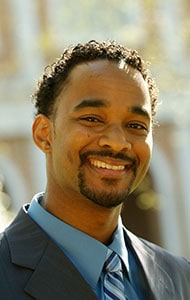
Growing up in West Virginia, Anthony Bass was a gifted athlete and fierce competitor. His tenacity and talent led to a scholarship at a small Florida college where he was known as a charismatic team leader. In 1998, Bass was signed as a free agent with the Minnesota Vikings. That year, the former #32 was a standout defensive back and part of the team’s amazing 15-1 season. Off the field, he preferred a life of partying over mastering his potential. “I made some bad decisions back then,” admits Bass. But the prayers of a persistent pastor not only brought him to Christ, but also helped him embrace his gift of leadership.
Now in his late-30s, Bass is pursuing a call in a different field. He completed his seminary studies, as well as his MBA, from Regent University in 2008. His goal is to help train and equip leaders to establish new churches and build communities. Bass says that through Regent he saw what it meant to lead like Christ. “Regent has an academically rigorous program, and the backgrounds and reputations of the professors here could have made it intimidating.” Instead, he says they were an inspiration. “They hold you to a standard of excellence because it’s a serious calling. But they lead as servants.” And for Anthony Bass today, that’s the real goal. As a divinity student at Regent University, he’s not only following that call, he’s following it in a very specific direction—helping to train and equip leaders to establish new churches and build communities at Calvary Revival Church in Norfolk, Va.
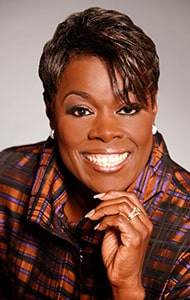
Dr. Antoinette “Toni” Alvarado not only has the academic credentials of someone well respected in academic circles, but also has the ministry background to garner the admiration of the many people she serves as co-pastor of Total Grace Christian Center (that she co-founded with her husband, Jonathan) in Decatur, Ga. In her leadership role at Total Grace, Toni has been involved in worship, pastoral care and counseling, women’s ministries, spiritual formation, and providing resources for the needy in their community.
In addition to serving on the faculty of Beulah Heights University in Atlanta, Toni is also the founder and CEO of My Sister’s Keeper Foundation for Women, an organization dedicated to moving a diverse community of women from “average to excellence” by offering resources for gift assessment, goal setting, life coaching, peer mentoring and balanced living.
What’s more, she and Jonathan run a coaching, consulting and publishing company called On Target Living LLC. They recently co-authored and published a book entitled, Let’s Stay Together: Relationship Strategies for Successful Marriages.Before that, she authored two books on her own: Run and Not Be Weary: The Pursuit of Purpose & Destiny and A Woman’s Heart Devotional Series.
Toni credits the School of Divinity for giving her an incredible sense of clarity concerning her call to develop women and leaders for Kingdom success in the ministry and marketplace. She and Jonathan are raising three amazing children, Jonathan II, Joshua and Ariel, in their home in Conyers, Ga.
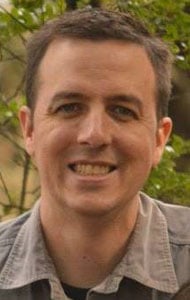
MISSIOLOGY, ’04
When asked about the education he received at the School of Divinity, Brian replied that “it gave me great leadership tools I would need to work cross culturally and bring transformation by leading people to Jesus.” And it’s a good thing he felt somewhat prepared—because, upon graduation, he had no idea of the path that God would lead him down.
Years later, Brian and his wife, Katherine, find themselves living in Medellin, Columbia, where they have taken over direction of the Open Arms Foundation. When Brian first came on board, the foundation had already rescued 20 kids off the streets. Today, Open Arms cares for nearly 100 children between the ages of 7-17, including many girls who have been rescued from the exploitation of the sex trafficking industry.
In addition to directing the foundation, Brian has helped plant and grow new churches for Columbian refugees and currently teaches a pastoral theology class at a local Columbian seminary. To find out more about the Open Arms Foundation, visit them at: www.openarmsfoundation.com
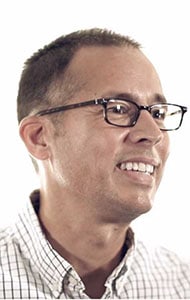
After serving as a pastor in the Evangelical Presbyterian Church (EPC) for 15 years, Bruce Anderson has been given the opportunity to jump headlong into his real passion—missions. In 2010, Bruce and his wife, Ellie, were appointed as U.S.-based EPC World Outreach missionaries to Eastern Europe. In 2008, he founded the Institute for Reformation, which focuses on Eastern European countries, whose cultures have been stripped of biblical principles and decades of socialist and communist rule. Bruce endeavors to raise up Christian leaders that will be empowered to transform the culture around them—in the spheres of family, education, business, government and the arts. Not only did Bruce earn a joint degree from Regent (Divinity and Government), but he is currently a Ph.D. candidate at the Oxford Centre for Mission Studies in England, studying 16th century Reformation theology—in hope that his studies will aid him in his missionary work (and in his endeavors to help develop a Christian university in Eastern Europe).
*Bruce’s story has been adapted from an article entitled, “Spiritual Reformation in Eastern Europe.” (Christian Leader Magazine. Winter/Spring 2011, p. 16).
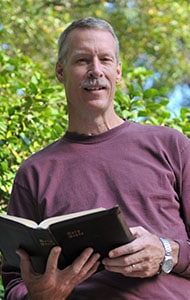
“Every Verse, Every Tongue, Every Task.” That’s the mission of Wycliffe Associates, an organization dedicated to playing a significant role in making sure the Bible will be available in every person’s language. As CEO of Wycliffe Associates, Divinity alum, Bruce Smith, has a hand in ensuring those who want the Bible translated into their own language have a chance of receiving it.
Bruce completed his Doctor of Ministry degree from Regent in 2006—and three years later was named Alumnus of the Year by Regent, acknowledging his vital contribution to the Great Commission. He has dedicated the past 10 years of his life to the company whose mission recognizes God’s Word as central to everything they do.
When asked about his role in Bible translation, he had this to say: “My heart breaks for people who live beyond the reach for God’s Word. Some are isolated by geography, politics or illiteracy. I’ve seen the Bible transform the lives of men and women living in the most desperate circumstances of the world—in poverty, war, sickness and ignorance. I see Christians in other nations experience their own reformation when, for the first time in their lives, they hear God’s voice in their own language.”
Last year alone, 4,100 Wycliffe volunteers served in 49 countries in support of Bible translation. And Bruce and Wycliffe Associates will continue to need such support as they endeavor to meet the goals of Vision 2025—a bold initiative to see God’s Word reach every language still needing Scripture by the year 2025.
*Bruce’s story has been adapted from Cheryl McKay’s article entitled, “Truth in Translation.” (Christian Leader Magazine. Winter/Spring 2010, 49-41).
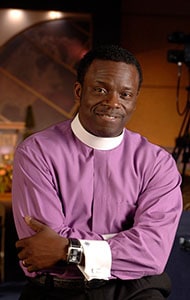
Bishop Courtney McBath was in full-time ministry in Virginia when his church rapidly grew from a congregation of 20 to one of the largest churches in America. “I knew I needed to broaden my knowledge base so I could better serve this growing congregation.” He chose Regent University’s School of Divinity master’s degree program because of the university’s synergy of excellent ministry training, spiritual formation and challenging academic coursework. “I was able to build and refine essential foundational skills of ministry leadership, like vision casting, strategic planning and communication.” Today, Calvary Revival Church is a thriving church with attendance over 7,000 and was ranked by Outreach Magazine in 2006 as one of the top 100 largest U.S. churches.
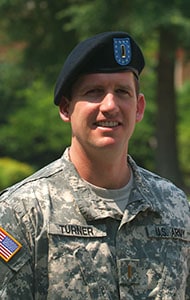
Darren Turner was in full-time ministry in Georgia when he felt the call to pursue another kind of service career. When he learned about Regent University’s special master’s track for military chaplaincy, he made the move to Virginia Beach for a combination of online and on-campus classes. Today, his degree is complete, and he’s serving U.S. soldiers as an Army chaplain in Iraq.
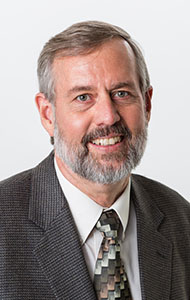
As a 2008 graduate of the Ph.D. in Theological Studies program, Eric has a beautiful and often-too-rare of a pedigree—one that has deeps roots both in the church and the academy. With two decades worth of pastoral ministry under his belt, Eric also has 14 years of experience teaching the Bible, theology and church history to students. And his call to prepare new church leaders in the academy is being refined even now as God has opened the doors for Eric to become one of the newest faculty members at Oral Roberts University. At ORU, Eric is the associate professor of Historical & Theological Studies, specializing in systematic theology and church history.
Eric hopes to bridge the gap between the church and academy with the passion that God has planted deeply within him. As such, he says, “My vocational passion is to equip the emerging generation of leaders in the global renewal movement by serving in a teaching position that is suited to my spiritual gift of teaching, experience in pastoral leadership, and research interests in church history and historical theology.”
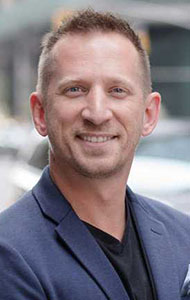
Knowing and doing “all things youth ministry,” Guy Wasko was quite familiar with the sweet taste of success in the student ministry world. Not only did he grow and revitalize youth ministries in Virginia Beach and Orlando, but he also proved himself to be quite adept on the national student ministry scene, becoming a speaker and trainer for Group Publishing in 2005. But a desire for something else was stirring deep in his heart—a desire to share and live the gospel in an urban context.
So Guy took the next transitional step and became the pastor of student ministries of a large, multi-ethnic church in downtown Pittsburgh. It was during this season of ministry that Guy’s love for the city began to flourish. So when God opened up the opportunity for him to be a part of Tim Keller’s church planting network in New York City, he couldn’t refuse. In 2009, Guy and his family relocated to the East Village, where he launched Trinity Grace Fellowship. Today, Guy and his wife (Rebecca) and three daughters (Emma, Kendall and Carter) have assimilated into urban life and are leading a community of believers into lives of authenticity, worship, service and missional living.
Guy credits much of his ministry fruitfulness to the fact that he was doing ministry while pursuing his seminary degree. In doing so, he “was able to immediately apply what [he] was learning in the classroom to real-time ministry situations.” He goes on to say that, “My love for Scripture and study deepened while, at the same time, I was challenged and inspired to see how it practically met the real life needs of the people I was ministering to.”
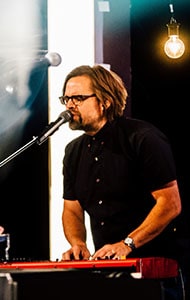
Jason Upton is a singer & songwriter with the heart of a pastor. Whether Jason is leading people in worship through singing or speaking, he does his best to carry the heart of our heavenly Father. His songs and his messages reflect a life fully lived in relationship with God, family and friends.
Jason and Key of David Ministries have several recordings available that document Jason and his band expressing the heart of God for His people through song, instrumental spontaneity and spoken word.
Jason has also been ministering in different places around the world. Scandinavia and South America are areas Jason is passionate about and that God has put on his heart. Jason travels 30-35 dates a year and is only away from home 70 days a year. He has found that this works best for his family. Jason is currently working on a couple of live, solo albums. See all of Jason’s albums.
Jason currently lives in Wisconsin with his wife Rachel and their children Samuel, Emma, Lucy and Oliver.
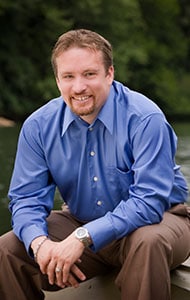
Ken is the senior director of national programming at the National Fatherhood Initiative (NFI), which was born out of a 1993 meeting of prominent thinkers gathered to address the growing problem of father absence in America. In his capacity at NFI, Ken is in charge of three of the organization’s programs, working with companies across the country to develop father-friendly policies and to provide workshops for companies on how to engage fathers in work-family programs. He also works with correctional facilities to reintroduce inmates to their children and family responsibilities.
When asked to further explain the importance of what he does at NFI, Ken explains, “We understand the importance of fathers in the lives of their children. We partner with organizations across the country to develop materials for fathers—we talk to corporate dads about how to stay involved in the lives of their children…and with men in prison, who may need to learn from scratch the skills to become better fathers.”
One of the primary reasons that Ken felt so compelled to work with NFI was that, as he learned about the organization, it “reflected a lot of what [he] had loved about Regent: the concept of impacting the world through Christian leadership.”
Ken has also just planted a new church in Catoctin Mountains in Maryland, where he serves his new congregation along with his wife, Shonda, and three children: Carli, Caleb and Kaiden.
*Ken’s story has been adapted from Bobbie Fisher’s article entitled, Developing the Dad in Every Father.” (Christian Leader Magazine. Fall/Winter 2008, 34-35).

Ever heard of RevGen? It’s short for a ministry to teens called Revelation Generation, founded by alumna, Kim Grom, and her husband Bob. The mission of RevGen is to “let today’s young people know there is a God who loves them and created them for His purpose, in a language that’s contemporary and with rocking music that’s relevant.” The Groms know one way to reach young people is through cultural connections and icons that are hip, fun and engaging. Every year, they host the RevGen Music Festival on their 100-acre farm in New Jersey. This past year, almost 20,000 people showed up for the festival, which was crammed full of great bands, extreme sports, amazing food and, of course, the transforming power of the gospel.
Kim, also an ordained minister through the Assemblies of God International, attributes much of her ministry wisdom and success to the theological education and ministry training she received at the School of Divinity. You can find out more at their ministry website: www.revgen.org.
*Kim’s story has been adapted from Cheryl McKay’s article entitled, “A Divine Trend?” (Christian Leader Magazine. Spring/Summer 2008, 21-23).
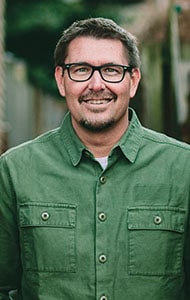
Mark serves as lead pastor of National Community Church (www.theaterchurch.com) in Washington, D.C. In 2008, the church was recognized as one of the “Most Innovative and Most Influential Churches in America” by Outreach Magazine. The vision of NCC is to meet in movie theaters at metro stops throughout the D.C. area. NCC also owns and operates the largest coffeehouse on Capitol Hill. Mark and his wife, moved to Washington, D.C. in 1994 to direct an inner-city ministry. He has served as lead pastor of National Community Church since 1996. Under his leadership, NCC has grown from a core group of 19 people to one church with 10 services at seven locations.
He is not only a highly sought after conference speaker, but also the author of the best-selling books: The Circle Maker, In a Pit with a Lion on a Snowy Day, Wild Goose Chase, Primal: A Quest for the Lost Soul of Christianity, Soulprint and All In.
Mark is married to Lora and they live on Capitol Hill with their three children: Parker, Summer and Josiah.
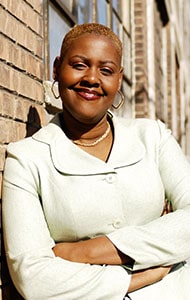
After earning a joint degree from Regent, which she describes as “four years of intense spiritual, intellectual and relational growth,” Sujuan has since gone on to serve at the governor’s office in Michigan. During her two years in that role, she served as the deputy director of community and faith initiatives, helping connect faith-based organizations with much needed resources. Sujuan also served as a professor at the Detroit Bible Institute where she taught courses on the life of Christ and the theology of prayer. To add to her achievements, Sujuan also is the acting president of the S.T.A.R. (Success Thrives Around Respect) Foundation, through which she mentors, educates and equips the next generation of leaders in our culture and in His Kingdom.
*Sujuan’s story has been adapted from Cheryl McKay’s article entitled, “A Divine Trend?” (Christian Leader Magazine. Spring/Summer 2008, 21-23).
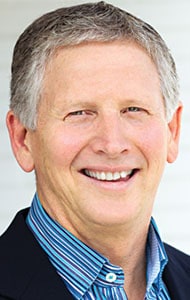
Bishop Todd Hunter is the founding pastor of Holy Trinity Anglican Church in Costa Mesa, Calif. Todd is the author of Christianity Beyond Belief, Giving Church A Second Chance, The Outsider Interviews, The Accidental Anglican and Our Favorite Sins. He is also the founding director of Churches for the Sake of Others, the West Coast church planting initiative for The Anglican Mission in the Americas. Todd also founded Three is Enough, a small group movement that enables spiritual formation in one’s everyday life.
He is the pioneer of a ministry called Telos, which helps seekers of all kinds—churched or unchurched—hear the gospel afresh and to then describe the practical implications of rehearing of the gospel for contemporary evangelism and spiritual formation.
Todd formerly served as the national director of VineyardUSA as well as the president of AlphaUSA, an organization that spawned a worldwide discipleship course that explores the meaning of life. What’s more, Todd has written for key publications such as Christianity Today, Charisma, Outreach and Ministries Today. Todd and his wife Debbie, with two adult children, live in Costa Mesa, Calif.

If you were called to help rebuild your war-torn nation, where would you start? For Vanja Bule, a native of the Balkans, it started half a world away, at Regent University. After researching other seminaries, Vanja decided on Regent for its unique combination of practical, hands-on ministry training and a strong academic program that could be applied cross-culturally. Today, she’s back home in Croatia and Bosnia, rebuilding the Church and her country.
Serving as the director for Camp Emek Beraka, located in the mountains between Bosnia and Herzegovina, Vanja desires to see the camp serve the body of Christ in Bosnia & Herzegovina in the areas of evangelism, discipleship and equipping for the work of the ministry in the church. Vanja says this about what God is doing in and through Camp Emek Beraka:
“Over the past 15 years the ministry of the summer camps has brought many blessings in many different ways to the Church. We have experienced ethnic walls fall down, broken hearts healed, lost people getting saved, young people called into ministry, and Christian leaders strengthen, refreshed through fellowship with other leaders and presence of the Lord. There seems to be few other ministries in this country whose effect is so overarching and of such importance for God’s plan for the Balkans!”
Academics FAQ
In general, registration takes place online, through our GENISYS system. Each semester you will need to review the current course schedule, determine which classes you would like to register for, make note of the Course Reference Number (CRN), and then log in to My.Regent.edu to access the GENISYS system and add courses to your schedule.
Full-time Student Status for Master’s Level
9-12 credit hours per semester in the fall and spring semesters | 6 hours during the summer
Part-time Student Status for Master’s Level
6 credit hours per semester in the fall and spring semesters | 3 in the summer semester
Student Status for Doctoral Level
6 credit hours per semester during the coursework phase | 1-3 credit hour during the dissertation phase
These dates and more are found on the university’s Academic Calendar.
The length of time to complete a degree varies according to how many credit hours a student takes each semester. Factors such as full-time employment, family responsibilities and involvement in ministry usually influence this as well. The office of Academic Advising is available to help students plan out their degree timeline using a Suggested Enrollment Plan (SEP). Refer to the Approved Degree Plan (ADP) found on each degree’s page for an estimated time of completion.
Admissions FAQ
Yes, Regent Student Housing is located on campus and offers a variety of apartment options for students. There are additional options for students who wish to live off campus.
Yes! Most School of Divinity degrees are available either partially or fully online. We believe seminary education is most effective when students are immersed within a supportive church community and able to remain in their home context. Refer to the Divinity programs page for a full list of online degrees.
View the admission requirements for your program on the Admissions page.
On the Admissions page, click on your program for a checklist of procedures and instructions on how to apply.
Visit the programs page for information on all of the School of Divinity’s degree and non-degree programs.
Yes. Practical experience is an important component of ministry preparation that facilitates the connection between workplace application and the learned theory. Certain master’s degree programs contain internships for academic credit as a part of the curriculum. See the Divinity programs page for information on each program’s curriculum.
All School of Divinity courses utilize Canvas online learning, which will require students to have reliable computer access. Refer to the IT department’s computer recommendations for recommended configurations as a guide for purchasing a computer to use for student needs.
Canvas is an Internet educational delivery platform that provides students with an online learning community. Students are able to download course content (including: articles, streaming audio and video, and presentations) and interact with their professors and classmates through the discussion board and attend live collaborate sessions.
For all courses, students may purchase their textbooks from the Regent University Bookstore. Make certain that you purchase the correct version or edition of the text. If you have questions, contact your professor. Some materials (documents, etc.) can be downloaded in your course area in Canvas, so check there first.
A maximum of 49% of the total credits of a student’s Regent University degree may come from transfer credits earned at recognized regionally accredited graduate schools. Requests for credit transfer will be considered on a case-by-case basis. To request the transfer of credits, students must submit the Transfer Credit Request form, available on the Academic Forms page to the Academic Advising office.
Advanced standing is credit granted to a student for appropriate courses successfully completed during a previously conferred program. A maximum of 25% of the total credits of a student’s Regent University degree may come from advanced standing earned at recognized accredited schools. Requests for advanced standing will be considered on a case-by-case basis. New applicants to the School of Divinity may request to be considered for advanced standing as part of the admissions process. The combined total amount of advanced standing and transfer credit cannot exceed 49% of the student’s Regent University degree.
If you are interested in receiving financial aid counseling, feel free to contact the Financial Aid Office at Regent University.
General FAQ
In 1977, Dr. M.G. “Pat” Robertson saw a vision materialize as 77 students entered leased classroom space to study for graduate degrees in communication. From those humble beginnings, Regent University has grown into the preeminent educational institution of its kind in America. Read more about the university’s history.
On October 29, 2012 the School of Divinity celebrated its 30th anniversary.
The School of Divinity is accredited by both major academic governing bodies which includes the Southern Association of Colleges and Schools Commission on Colleges (SACSCOC) and the Association of Theological Schools (ATS).
The core values of the School of Divinity and its doctrinal views are described Regent University’s Statement of Faith and provides the foundation for a collegial atmosphere and tolerance of diverse perspectives while maintaining a common mission.
Most denominations will require a Master of Divinity (M.Div.) degree for ordination, but students are encouraged to verify the specific requirements of their denomination or church network. The Master of Divinity is considered both a professional and academic degree that addresses the practical aspects of ministry as well as the academic preparation required for further studies in a post-graduate area.
The School of Divinity does not guarantee any form of job placement to its students, but we do provide our students and alumni with access to numerous job boards, employee requests and networking opportunities. Visit Career Services to learn more.
Regent University and the School of Divinity have no denominational affiliation, and students in the School of Divinity represent nearly every Christian denomination and many countries from around the world. The school’s mission statementoutlines the core values of the School of Divinity and provides the foundation for a collegial atmosphere and tolerance of diverse perspectives, all while maintaining a common mission.
Students in the School of Divinity tend to be mature Christians, diligent students, generally active in some form of ministry, and possessing a sense of calling and mission. Our diverse student body is comprised of many nationalities, cultures and geographies as well as nearly every denomination.
The School of Divinity is proud to partner with those in military service pursuing graduate education. Regent University has a dedicated military team available to assist our military students from start to finish. Learn more at the Military Resource Center page.