


About the School of Communication & the Arts
Communicators in the 21st century enjoy resources never imagined by previous generations. Who will harness this power? Those who are skilled at their craft. Regent University’s School of Communication & the Arts trains media and entertainment professionals to the highest standards of the profession and from a Christian worldview. With an emphasis on knowledge and faith — together — our students are taught by expert faculty in state-of-the-art facilities.
Shape Your Culture — Integrate Your Faith — Develop Your Artistry
You believe that redemptive, positive-value stories are worth telling. At Regent University’s School of Communication & the Arts (SCA), we can teach you to craft your stories in ways that are both compelling and meaningful. Here, you can learn how to develop your voice, perfect your God-given talent, engage your audience, and leave a lasting impression — all in a faith-based environment that helps you align your artistic vision with your calling.
As a Regent student, you can have access at your disposal to state-of-the-art facilities, numerous opportunities to practice your craft, and an accomplished faculty of mentors who are published scholars, playwrights and media professionals. These resources have led to 478 prestigious awards in film at the regional, national and international levels, as well as multiple awards for journalism publications, theatre performances, music videos and television programs.
Are you ready to tell your story?
We are proud of our successful Regent University alumni and their accomplishments. Regent alums work in the television and film industry including local and national commercials, television sitcoms, episodic dramas, independent films and major studio films. They also work for local and national news networks, off-Broadway productions, regional theatres, and elite universities. Our alumni serve as directors, producers, scriptwriters, animators, news anchors, talk show hosts, actors, journalists, researchers, writers, editors and professors. Additionally, many of our graduates have started thriving businesses or have successful careers as freelancers.
Meet some of our successful Regent University alumni:
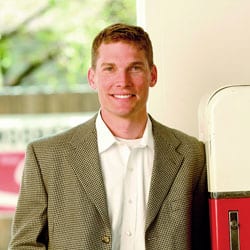
It was a cool, crisp day in 2008. Regent University’s School of Communication and the Arts (SCA) alumnus Charles Martin 00’ was hiking up Mount Mitchell in North Carolina with a friend. Roughly two to three miles out from civilization, they reached an exposed slope and came under an intense barrage of snow, ice, and winds gusting up to 60 and 70 mph.
Martin didn’t realize it in the moment, but that storm of nearly ten years ago would spark the story behind the feature film, The Mountain Between Us.

“I wanted to be the ‘Doogie Howser’ of the entertainment world,” said Regent University alumnus, David Acuff ’02 (School of Communication & the Arts).
That is to say, he was called into the entertainment industry at the age of nine; he thought he’d go to Hollywood at the age of 12, and maybe run a television studio by the time he was 14. A child prodigy. A screenwriter, M.D.

Sometimes you get lucky. And sometimes you get all the guidance, support that you could ever need. Ashley Dakin, a 2013 graduate from Regent University’s School of Communication & the Arts (SCA), will tell you her story involves both.
Dakin wanted to be an actress since she was 10 years old. As the youngest in her family, she quickly identified with the role of “entertainer.”
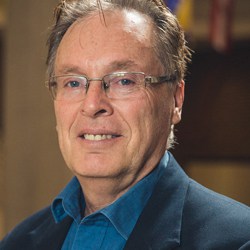
Freeman joined SCA faculty during Fall semester 2016 — his second lap as a Regent professor, having first worked for the school in the early ’00s. But his journey to the school — and even Christianity itself — started much earlier. He was raised by a single mother in the heart of Chicago.
“That was during a time when that was considered a little more ‘inappropriate’ than it is now. But she did a wonderful job, raised me in the church and raised me to love the Lord,” said Freeman. “Then I became your typical hellion.”
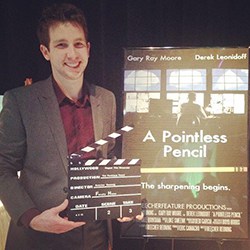
Having the power to manifest random objects into existence is incredible. But giving that power to someone with a lackluster imagination is, well, pointless.
This is the plot for Regent University School of Communication & the Arts (SCA) alumnus Beecher Reuning’s ’15 short comedic film, A Pointless Pencil.

On May 25, 2016, Regent University School of Communication & the Arts (SCA) alumna Raquel Sangalang ’15 and College of Arts & Sciences (CAS) alumnus Justin Garcia ’14 accepted first place in the category of comedy for their film, Terrance.
The annual College Television Awards mirror the Emmys® selection process and were judged by active Television Academy members.

“Where’s your bedroom?” A ten-year-old boy asks Regent University School of Communication & the Arts alumna Jill Szoo Wilson ’06. She’s pushing her cart through Price Chopper, a grocery store chain in Kansas City, Missouri, and locks eyes with the young boy’s father.
“He thinks you live here,” he explains. And it’s understandable; her image has appeared in television commercials, print advertisements, and even on the sides of semi-trucks as the grocery store’s official spokesperson.
Our alumni are superbly equipped—professionally and spiritually—to return integrity to the fields of communication and the arts. Graduates have been placed in prominent positions in such organizations as:
| American Broadcasting Company (ABC) Family | Microsoft Network/National Broadcasting Company (MSNBC) |
| American Movie Classics (AMC) Cable Network | National Aeronautics and Space Administration (NASA) |
| Ball State University | Norfolk State University |
| Baylor University | Operation Blessing |
| Cable News Network (CNN) | Paramount Pictures |
| Christian Broadcasting Network (CBN) | Pepperdine University |
| Cox Communications | Rhythm & Hues Studios |
| Cox Media | Sony Corporation |
| Department of Homeland Security | STRANG Communications |
| Discovery Communications Inc. | The Inspiration Network (INSP) |
| Duke University Medical Center | The Walt Disney Company |
| ESPN, Inc. | Turner Broadcasting System (TBS) Superstation, a division of Time Warner |
| Focus on the Family magazine | Tyndale House Publishers |
| Fox Broadcasting Company | Universal Studios |
| Georgetown University | University of Texas |
| Harvard University | University of Virginia |
| Home Box Office, Inc. (HBO) | Wake Forest University |
| Industrial Light & Magic, a division of Lucasfilm Ltd. | Wheaton College |
| Joyce Meyer Ministries | WorldReach |
| Liberty University | World Vision |
As a Regent University doctoral student, you can complete original research supervised by a faculty member of your school. You can reach milestones for your dissertation as you complete your coursework for the Ph.D. in Communication or Doctor of Strategic Communication program.
These milestones include:
- Exploring a dissertation topic
- Crafting a proposal
- Drafting your dissertation
- Implementing your dissertation design
- Defense of your dissertation
Discover previous dissertations submitted for the Ph.D. in Communication or Doctor of Strategic Communication.

Mentee
My mentor is guiding my thinking process by giving me great wisdom on how to navigate through the job hunting process and interview process as well. He is also helping me to shape more into the leader that I desire to become in the workplace. I think this mentor program is very beneficial, especially when the mentee has a great match with a mentor that fits their needs. I personally have benefited and grown so much because I was paired with someone who met my spiritual and professional goals and has had the experience to guide me to where I am today.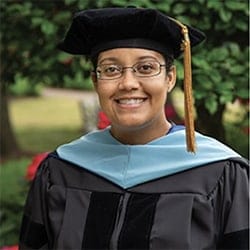
Assistant Professor of Education, School of Education, GSW State University
I am grateful for Regent’s rigorous, Christ-centered Special Education program. I look forward to sharing my passion and experience with the next generation of special education teachers. I’m also excited to continue my research on educational practices utilized in public schools.
Deputy Treasurer, City of Suffolk
The whole concept at Regent was, if you are pursuing administration in the public interest, you aren't just doing it to be a bureaucrat, but to serve those around you. You have to be engaged and know what you believe when you go into it, to stand up for what you think is right.
Organizational Leadership
I am proud to further Regent University’s conviction of excellence in scholarship, passion for ministry, and devotion to the Word of God.
Reading Specialist
My career has evolved over a short period of time because of my faith and the teacher preparation programs at Regent. The academic, spiritual and leadership guidance shared during my time at Regent gave me the foundation needed to excel in my field.

Mentee
Thank you, Dean Gomez, for introducing me to the Executive Mentorship Program. It has blessed me greatly over my last 3 years in the DSL program. Mr. Walt Pilcher an amazing author and man of faith, helped me realize budding spiritual gifts and connect my spirituality to business endeavors. Dr. Katrina Thornton, a senior executive, helped me to consider what it meant to enter and engage with C-suite leaders challenging me to move from tactical leadership to systemic leadership. As a result of my interaction with these leaders I'm leaving this university grateful and mindful of the investment in helping me become a Christian Leader prepared to change the world.
Dean, Regent University's School of Business & Leadership
This isn't just a job for me — this is a ministry. Whatever I've done at Regent I've always had the sense that this is what God has called me to do.
Photographer
When I think about Regent, I think about the wonderful people I met here that have supported and loved me with the love of Christ; they helped me make college a home away from my home in Guatemala.
CEO, Electric Mirror; CEO Safeology
There were plenty of other law schools. But I told my family, ‘If I don’t go to Regent, I’m not going to law school at all.’
School Nurse
I chose to go back to school to help advance my career. I’ve used the knowledge, skills and abilities I’ve learned at Regent extensively. When I saw Regent’s motto, Christian Leadership to Change the World, I knew this was for me.
RN at Allina Health
Pat Robertson had a dream, and when you set foot on campus, you see what God has done.
President and General Manager at WVEC-TV ABC 13
Unlike other schools I considered, Regent lets you customize projects around real-life work issues. The professors challenge you and genuinely want you to succeed.


Scholarship Recipient
Regent University is a place that not only provides technical principles of business but also creates an environment that mirrors the breadth and depth of Christian values.
Scholarship Recipient
As a young women who was raised in a Christian family in the Middle East, I cannot thank you enough for choosing to extend this kind support to me.

K-12 School Leadership
There’s an atmosphere of excellence at Regent.
Counselor Education and Supervision
Regent University is a place where you'll be involved. There are so many opportunities through Regent that, if you're willing to go there, you're going to be afforded the opportunities.Admissions FAQ
We require a minimum 3.0 GPA from an accredited university. The School of Communication & the Arts will make acceptance decisions based on the totality of the student’s application file. We look at GPA, standardized test scores, the writing sample, references and the personal goals statement when considering someone for admission. If any one of these items is not strong the other pieces may help strengthen that applicant’s file.
Yes, the School of Communication & the Arts has merit scholarships which are competitive and based on a student’s undergraduate GPA. See the Financial Aid section of our website for full details. We award financial aid monies on a first come, first served basis, so apply as early as possible for best chances at aid money.
Yes, upon acceptance you have up to one academic year to enroll. If you do not matriculate within one academic year, a new application will be required.
Oftentimes applicants will send us transcripts while in their senior year of school. The transcript is missing a final class or two, and thus the actually earned degree (B.A., B.S., etc.) is not posted on the transcript. Regent needs the final transcript where the degree earned has been clearly posted. Until we receive that final transcript, your admissions file is still incomplete.
An MFA is a talent-based terminal degree. This represents the highest academic degree one could earn in the performing arts field (there is no Ph.D. in Acting, Directing, etc.). An MFA not only credentials you in your field, but it is also a requirement to teach performing arts at the university level. An M.A., on the other hand, is a graduate degree which will still fully immerse you in your field and prepare you for your career, but since it requires fewer hours, it is not considered a terminal degree. Your future career aspirations should determine whether you pursue an M.A. or an MFA. If you have any doubt as to the best option for you, we would be glad to discuss this with you.
Our admissions office aims to have a decision made on your file within five business days from the time it is completed. All MFA and Ph.D. files are reviewed at one time annually by degree.
Students are encouraged to go at the pace they are comfortable with. Many students hold full-time jobs and have families, taking only one or two classes per semester as time allows.
We don’t have a “typical” student. We are a community of artists and professionals-in-training who, though varied in our passions and interests, are united in a common desire to see the light of Christ shine through our creative works. Our student population is about equally split between males and females. Our average student is aged 34, though we have students in the program from age 20 to 60. We have an ethnically diverse student body as well: Caucasian, 67 percent; African-American, 17 percent; Hispanic, 4 percent; Other, 12 percent.
Technology FAQ
In the School of Communication & the Arts, technical tools are important for effectively accomplishing class projects. While we don’t endorse any platform, in particular, we offer the following guidelines:
No, some students buy their own, but Regent University’s FTV Equipment Office stocks cameras and other equipment needed for FTV class assignments.
Regent University strongly recommends that FTV students purchase their own system for editing class projects. FTV courses require students to shoot and edit their own class projects.
Regent University recommends that you purchase your own system for editing class projects. For general coursework, there are several computer labs on campus, but there are no general editing labs.
An older computer might run new editing software, but performance will be slow and possibly unstable. If your system is more than three years old or does not meet minimum software requirements, you should consider a new computer system.
Buying a new system gets you a warranty from the manufacturer. Manufacturer warranties are typically one year, but most offer an extended three-year-warranty for an additional cost. A newer system is faster and more stable, which can make you more productive with less waiting and frustration.
Because requirements are so complex and varied, we strongly advise that you follow your software’s recommended — not the minimum — configuration for whichever system you choose.
Both platforms are viable for post-production work — assuming proper configurations in both cases. However, Apple editing software only works on Macs. Avid and Adobe software work on both Macs and PCs.
While laptops offer portability, properly configured systems are costly and offer limited upgrade capability. In general, properly configured desktops are less costly than laptops and are easier to upgrade.
Depending on your editing needs, there are several good choices. Your system must be able to input, edit and output HD video in various formats. It must also be able to create titles and layer several tracks of audio (dialogue, sound effects and music). Depending on your needs, this can be as basic as the free software that often comes bundled with computers or as elaborate as the professional systems on the market.
Regent recommends that you have a DVD burner for completing assignments and for data backups, but it’s not required. External, name-brand USB DVD burners can be purchased for under $30.
Yes, the faster and higher the capacity the better. USB 3 for PCs and Thunderbolt or USB 3 for Macs.
No, computer or editing software problems should be handled by the manufacturer or dealer. Regent University recommends that you buy an extended service agreement with help-desk support if you’re not comfortable troubleshooting on your own.